![Logo_Icon-1.png]](https://support.provision.io/hs-fs/hubfs/Logo_Icon-1.png?height=40&name=Logo_Icon-1.png)
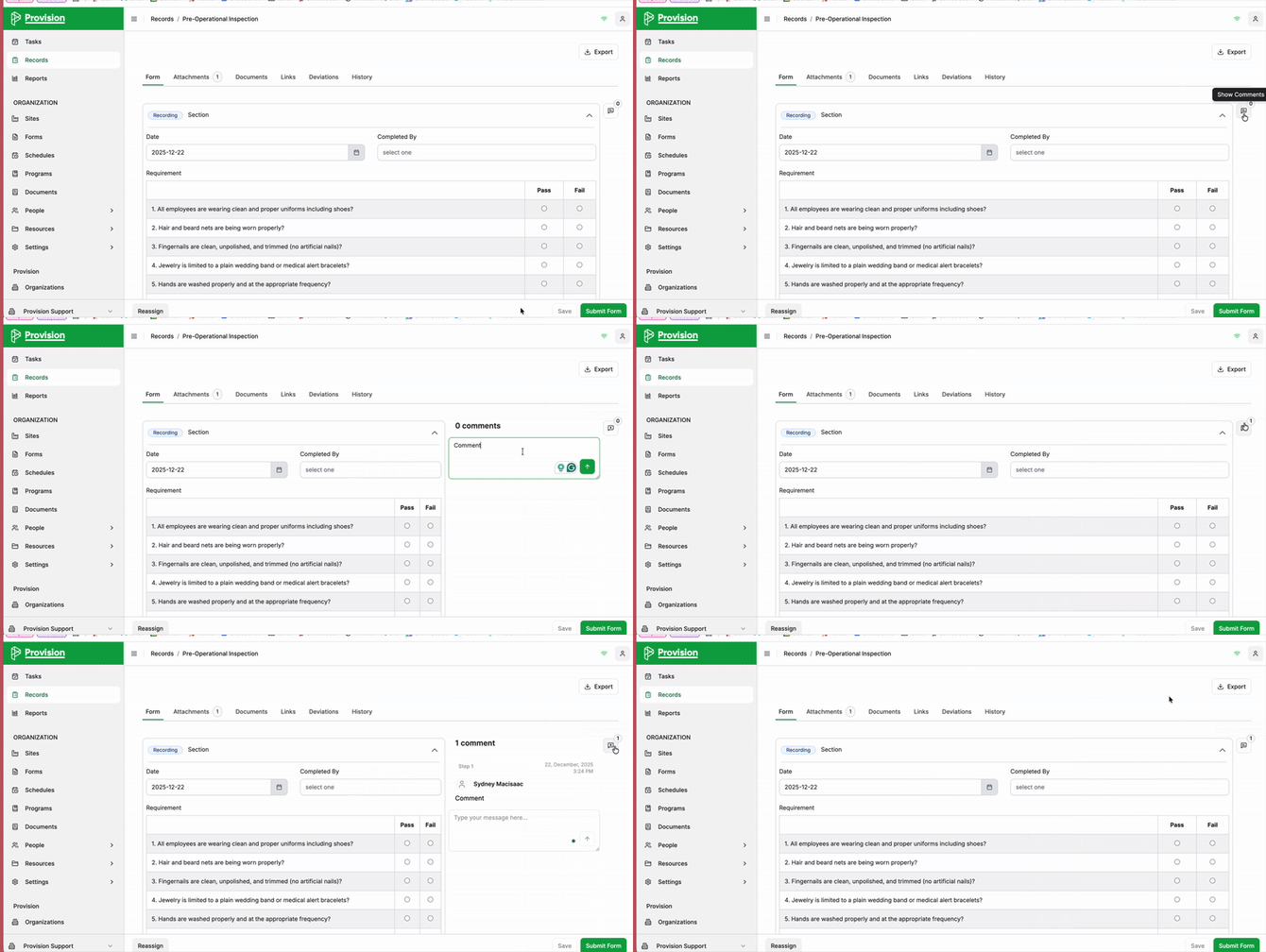
- Select the Show Comments button in the top right toolbox.
- In the panel, type your message into the text field.
- Select the Send icon.
- Your comment is now saved and will appear with a timestamp and your username.
Note: You can hide the panel by selecting the Comments icon. A notification will indicate the number of commens on the record.