![Logo_Icon-1.png]](https://support.provision.io/hs-fs/hubfs/Logo_Icon-1.png?height=40&name=Logo_Icon-1.png)
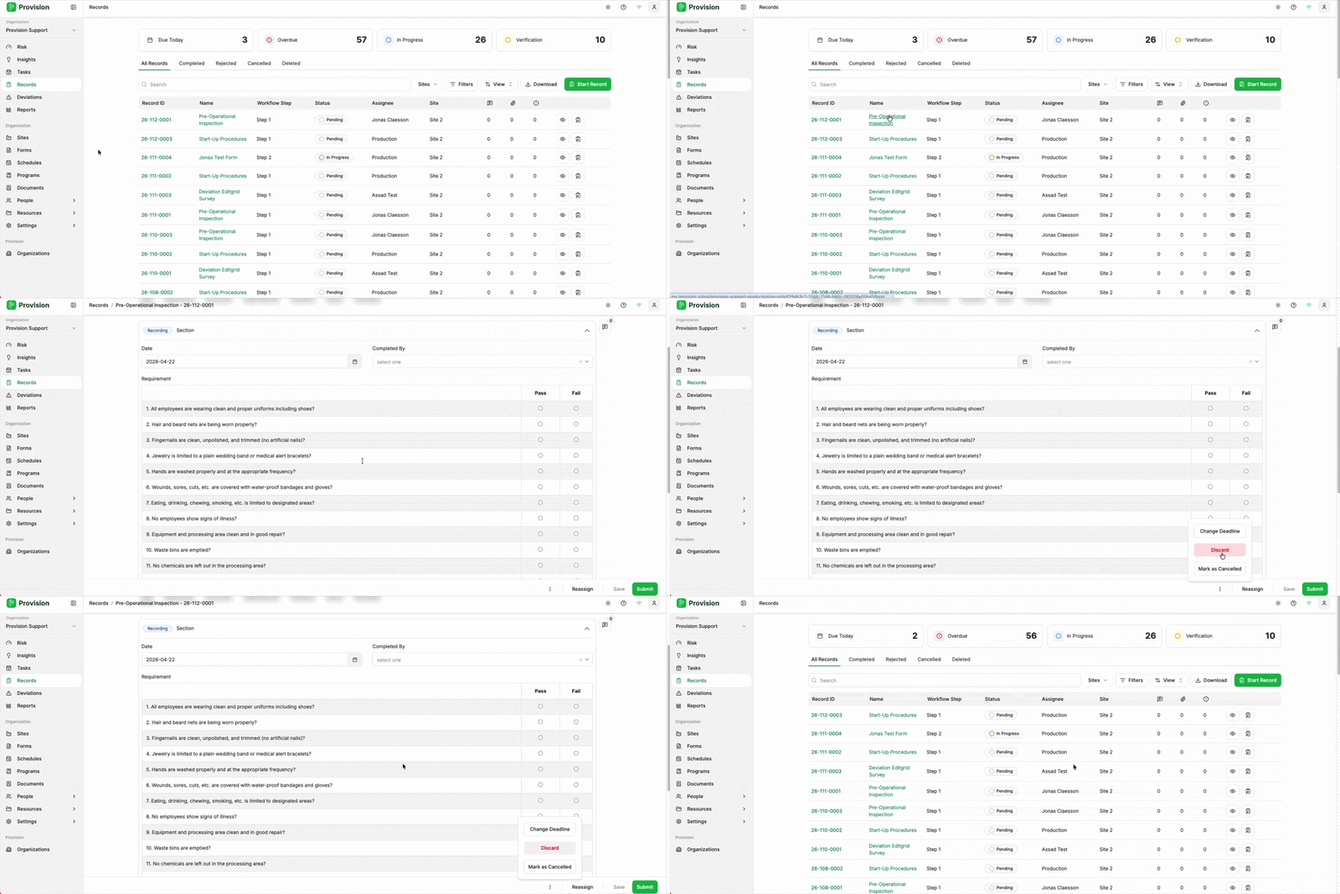
- Navigate to the Records module.
- From the table, select the record you wish to delete to open it.
- In the bottom right corner of the record, click the three-dot (⋮) menu to open the action menu. The menu displays the following options:
- Change Deadline: Update the record's due date.
- Discard: Permanently delete the record.
- Mark as Cancelled: Cancel the record without deleting it.
- Select Discard.
- In the "Discard Record" confirmation window, select the red Discard button to confirm. Note: Selecting Keep will close the window and leave the record unchanged.
Note: Discarded records can be recovered
The record will be removed from the Records table.