![Logo_Icon-1.png]](https://support.provision.io/hs-fs/hubfs/Logo_Icon-1.png?height=40&name=Logo_Icon-1.png)
-
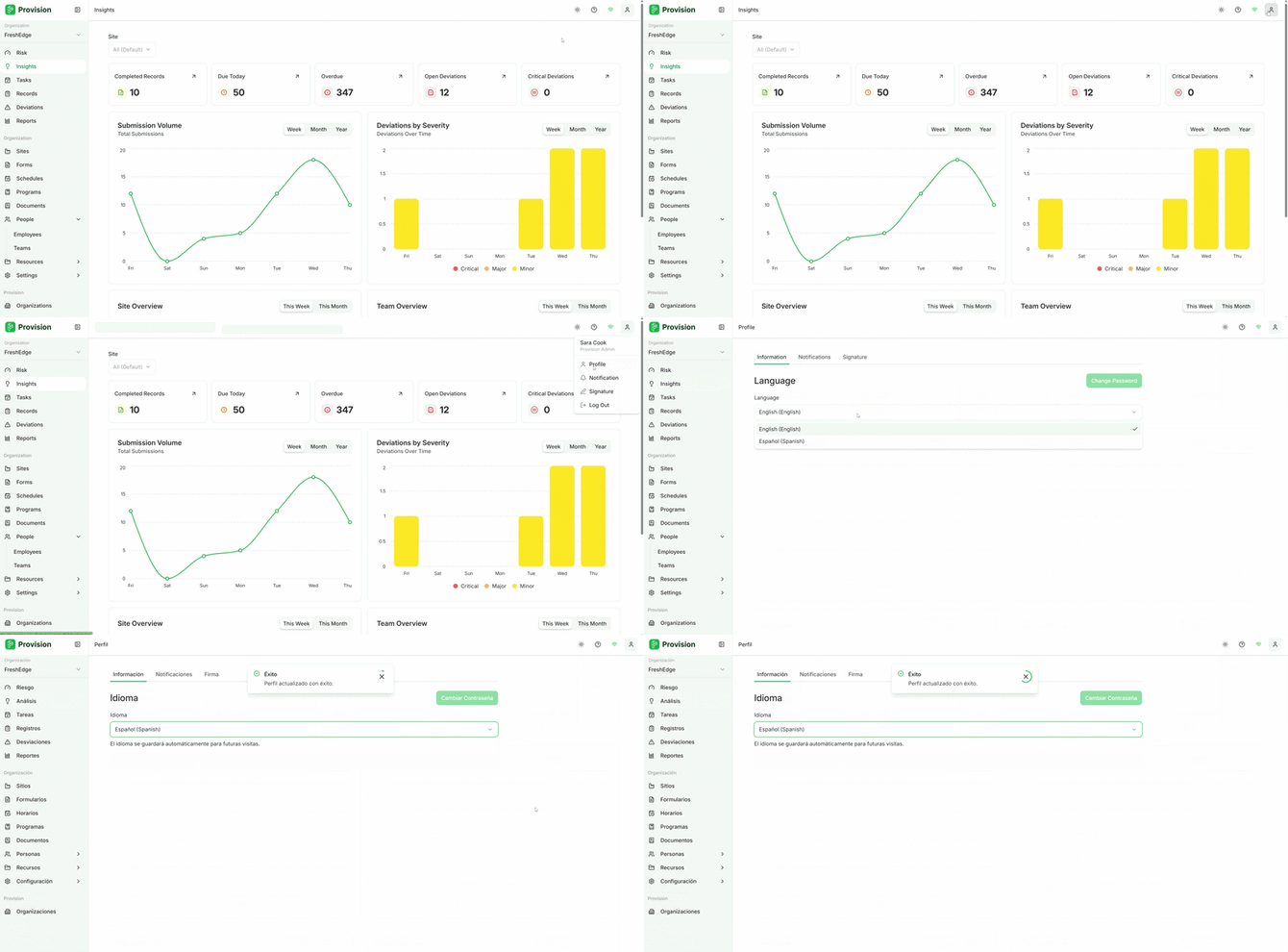
In the top right corner of the application, select the Account person icon.
-
From the dropdown menu, select Profile.
-
Change the Language to your preferred option.
- English
- Spanish
Note: English and Spanish are the only languages currently available.
Note: This will not change the language displayed in records. To translate the entire platform, we recommend installing Google Translate as a browser extension and using it to translate everything.
Your navigation items will be saved and display in your preferred language.