![Logo_Icon-1.png]](https://support.provision.io/hs-fs/hubfs/Logo_Icon-1.png?height=40&name=Logo_Icon-1.png)
Assigning a One-Time Task
-
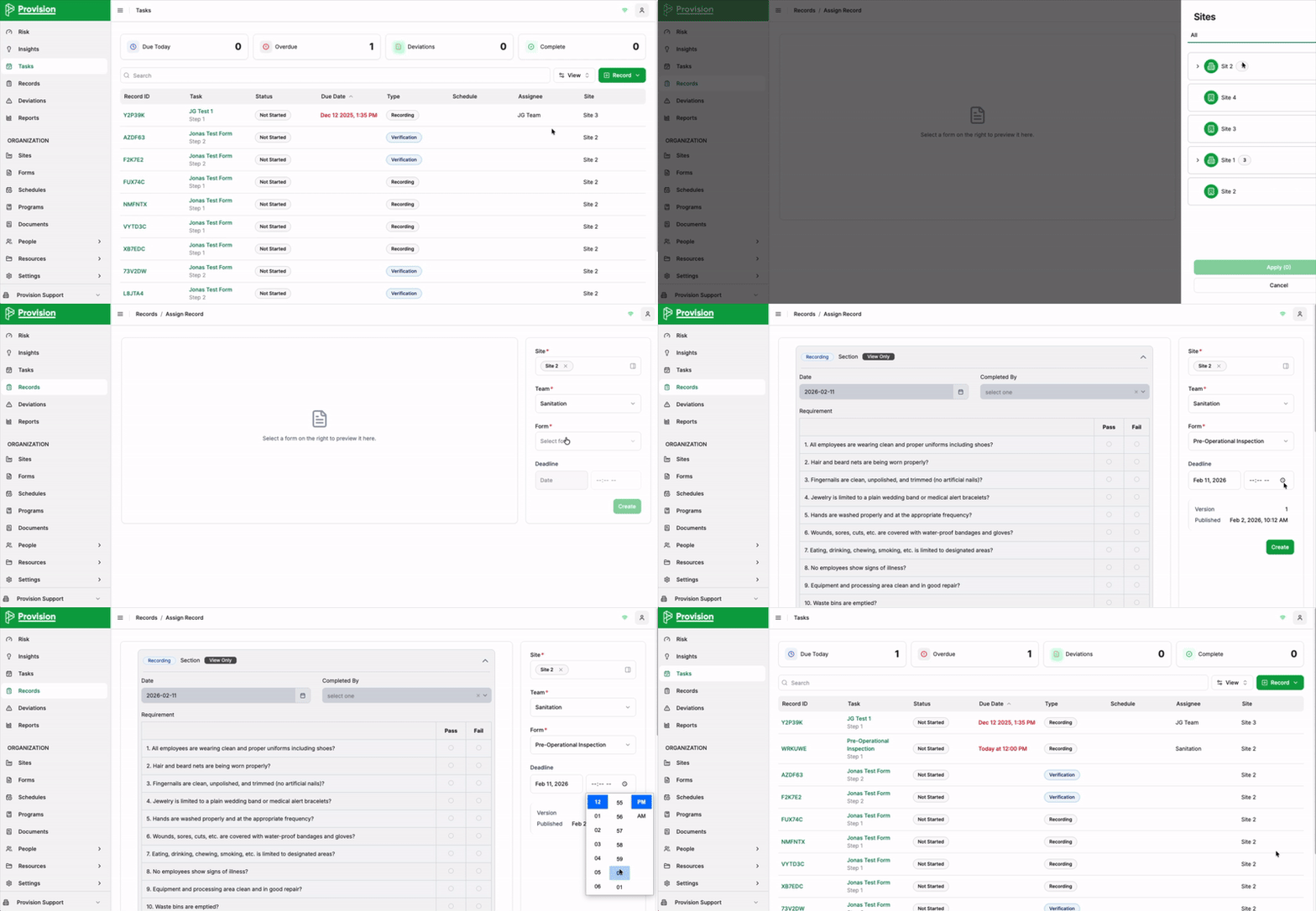
Navigate to the Tasks module in the side navigation menu.
-
Select the green Record button with the plus icon [+] in the top right corner. Select Assign Record.
-
In the Assign Record side panel, fill out the following required fields:
-
Site: Select the appropriate site(s) from the list and select Apply.
-
Team: Choose the team responsible for completing the task
-
Form: Select the specific form template you want the team or user to fill out.
-
Deadline: Choose a date and time for when the task must be completed.
-
-
Once the form is selected, a preview will appear in the main window for your review.
-
Select the green Assign Task button at the bottom of the side panel.