![Logo_Icon-1.png]](https://support.provision.io/hs-fs/hubfs/Logo_Icon-1.png?height=40&name=Logo_Icon-1.png)
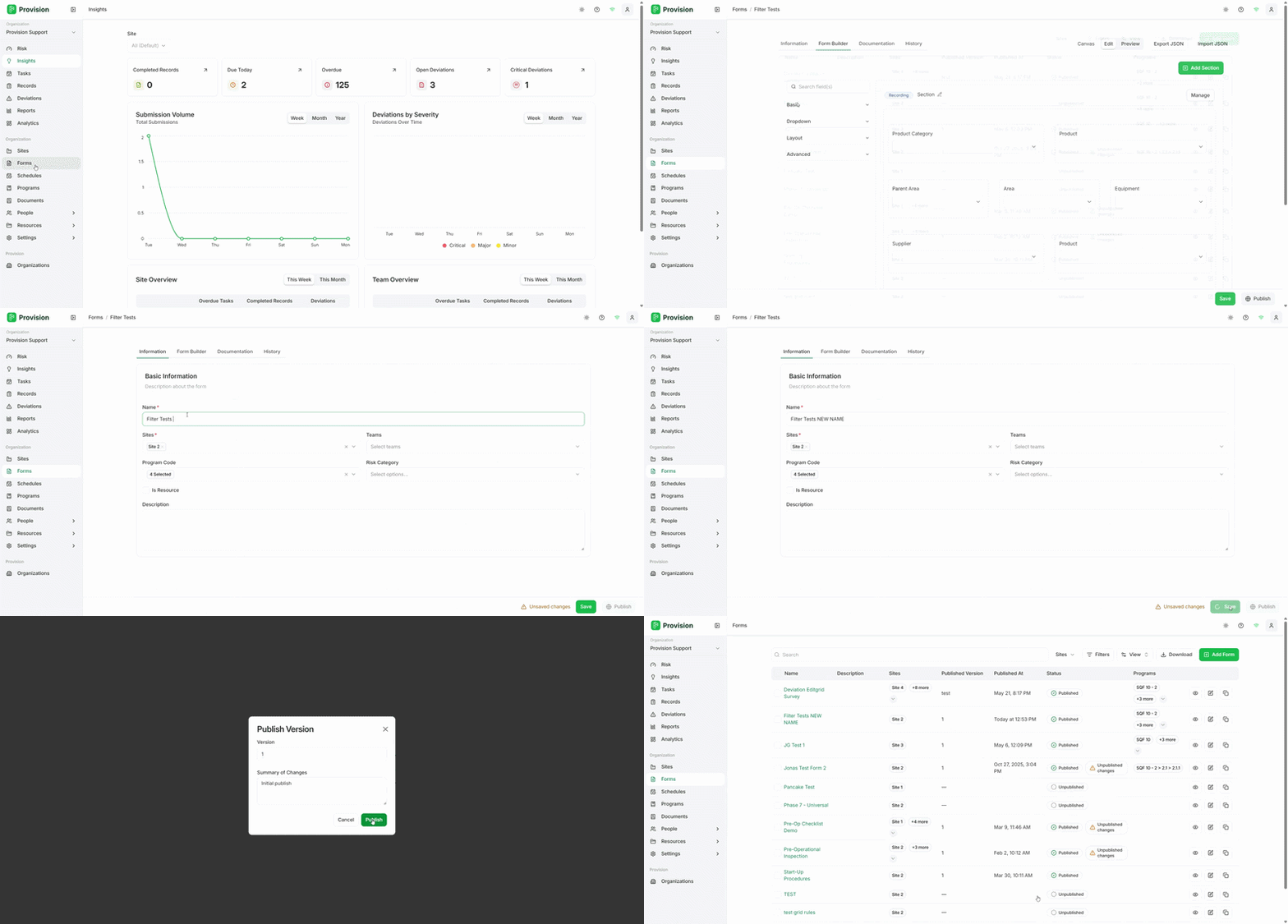
- Navigate to the Forms module in the left sidebar.
- Select the form you want to rename from the forms list.
- In the form, select the Information tab.
- Click into the Name field under Basic Information and update the form name.
- Select the Save button in the bottom right corner.
The form name will be updated and a "Form updated successfully" confirmation will appear.