![Logo_Icon-1.png]](https://support.provision.io/hs-fs/hubfs/Logo_Icon-1.png?height=40&name=Logo_Icon-1.png)
Archiving Documents
-
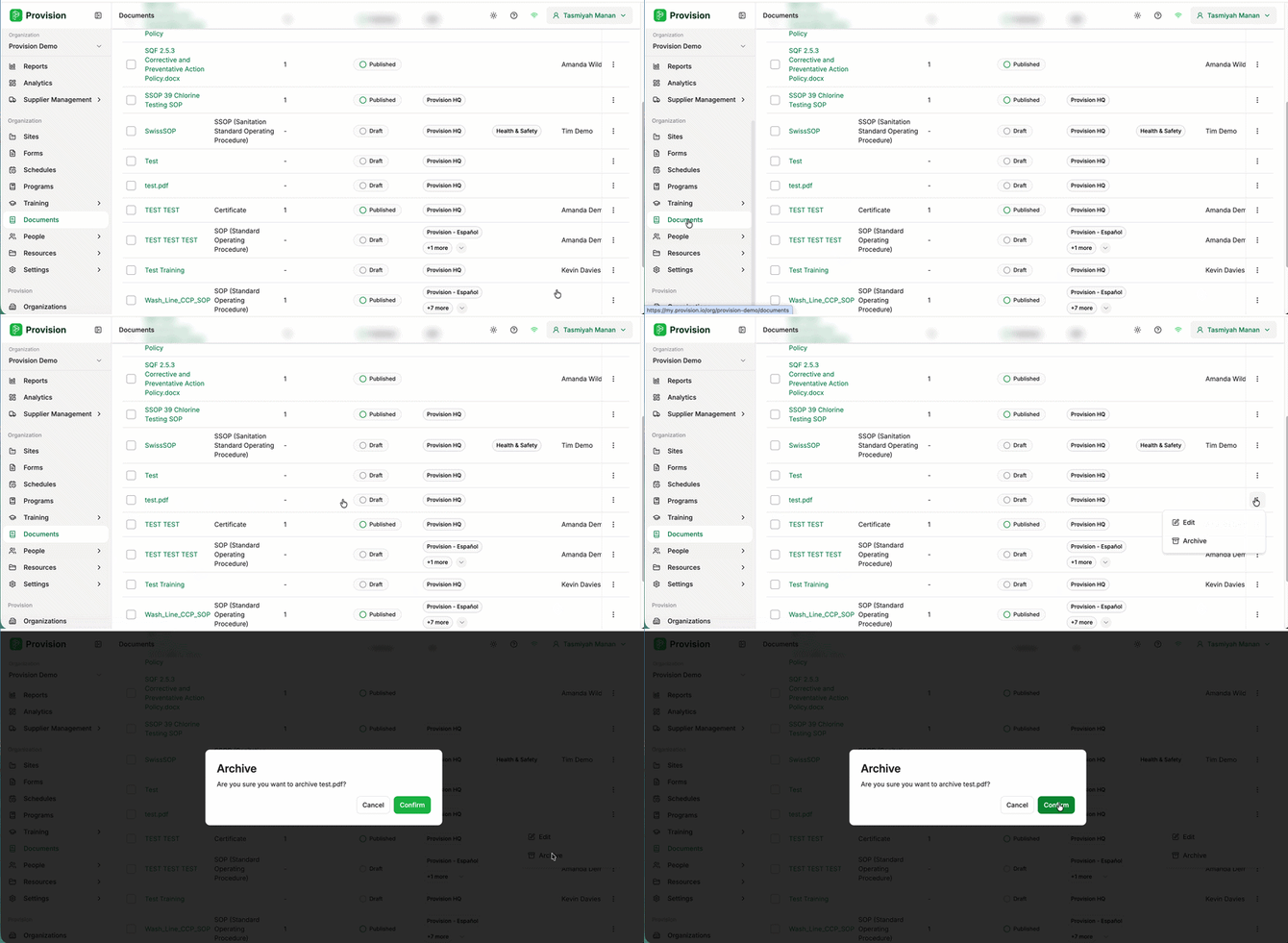
Locate the document in the Documents table and select the three dots at the right-hand end of its row. A menu will appear with two options: Edit and Archive.
-
Select Archive. A confirmation message will appear.
- Select the green Confirm button.
The document is now archived and removed from your active Documents list.