-
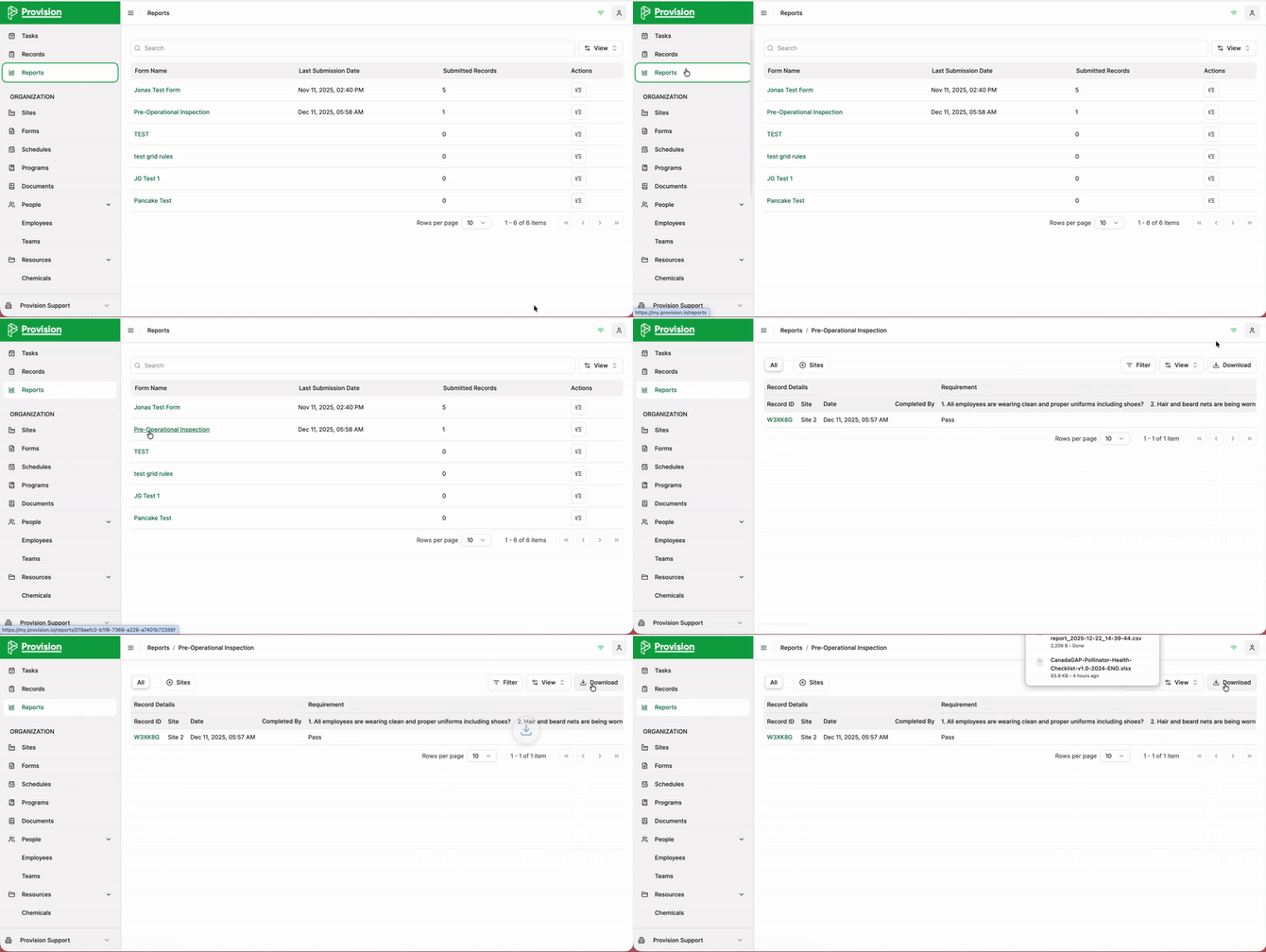
Navigate to the Reports module.
-
Select the report you wish to export.
-
In the top right corner of the report screen, select the Download button.
-
The file will download automatically according to your browser settings.
![Logo_Icon-1.png]](https://support.provision.io/hs-fs/hubfs/Logo_Icon-1.png?height=40&name=Logo_Icon-1.png)
Navigate to the Reports module.
Select the report you wish to export.
In the top right corner of the report screen, select the Download button.
The file will download automatically according to your browser settings.