![Logo_Icon-1.png]](https://support.provision.io/hs-fs/hubfs/Logo_Icon-1.png?height=40&name=Logo_Icon-1.png)
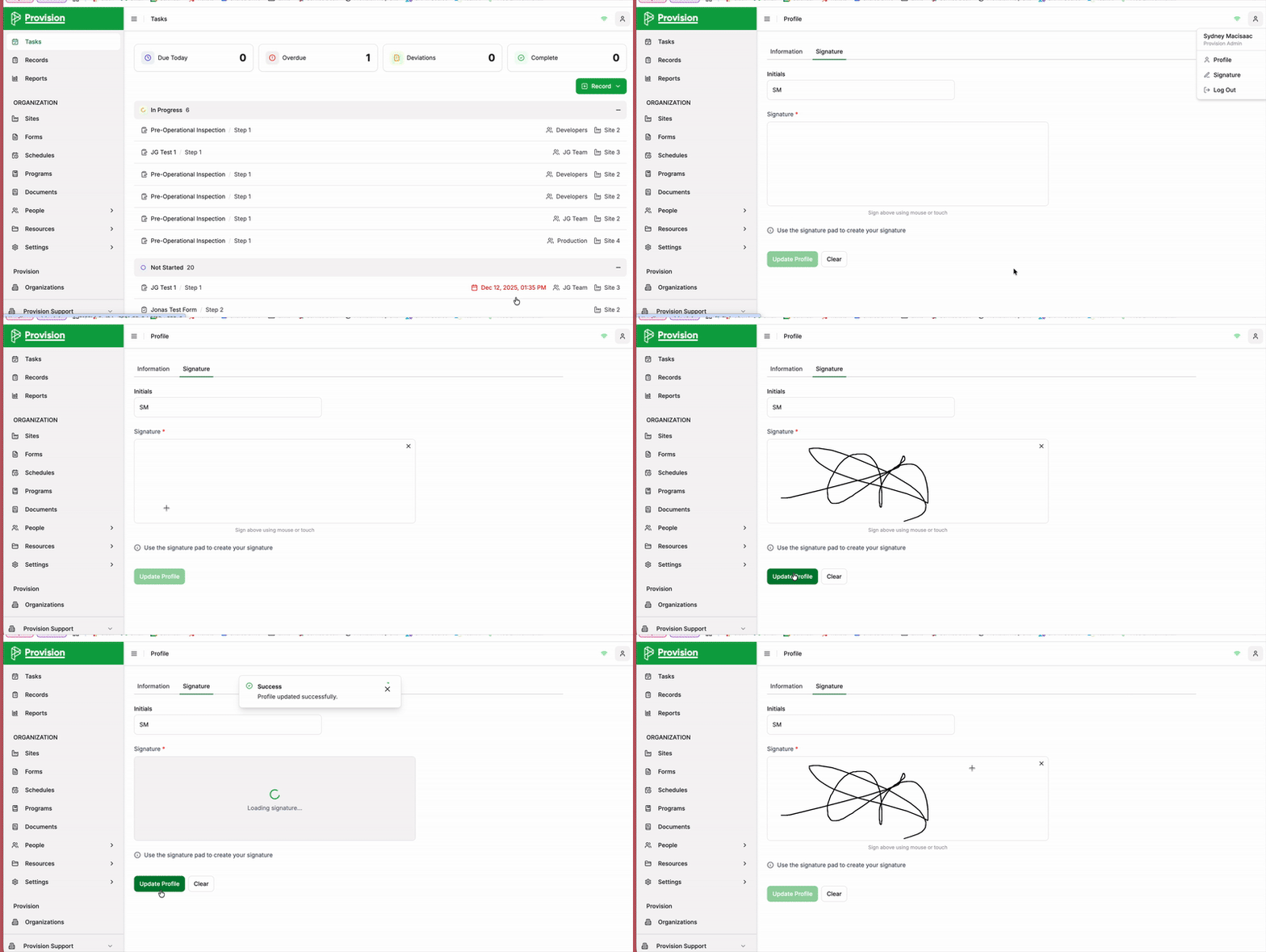
- Select the Account Person Icon in the top right corner of the application.
- From the dropdown menu, select Signature.
- The Signature panel will open. Use your mouse or touch screen to draw/create your signature in the signature pad area.
- Once complete, select the green Update Profile button.
Your signature will now be saved and available for use on signature panels within forms.