![Logo_Icon-1.png]](https://support.provision.io/hs-fs/hubfs/Logo_Icon-1.png?height=40&name=Logo_Icon-1.png)
Add Equipment
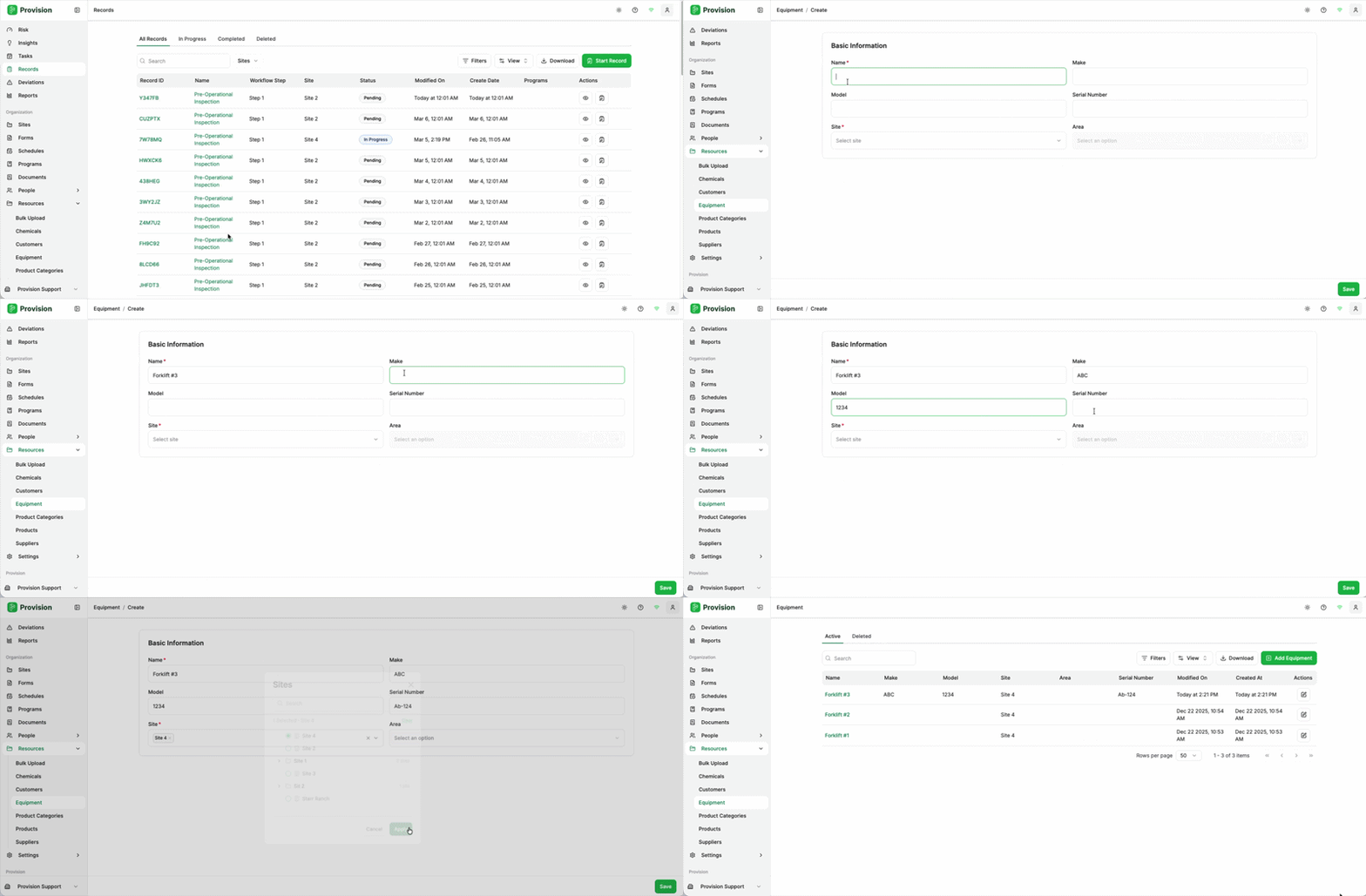
-
Navigate to Resources > Equipment.
-
Select the Add Button [+] located in the top Tool Bar.
-
In the side panel, provide the equipment details:
-
Equipment Name
-
Serial Number / ID
-
Equipment Category
-
-
Select Create Equipment.
-
Input any additional specs or maintenance dates and select Save.
Editing or Deleting Equipment
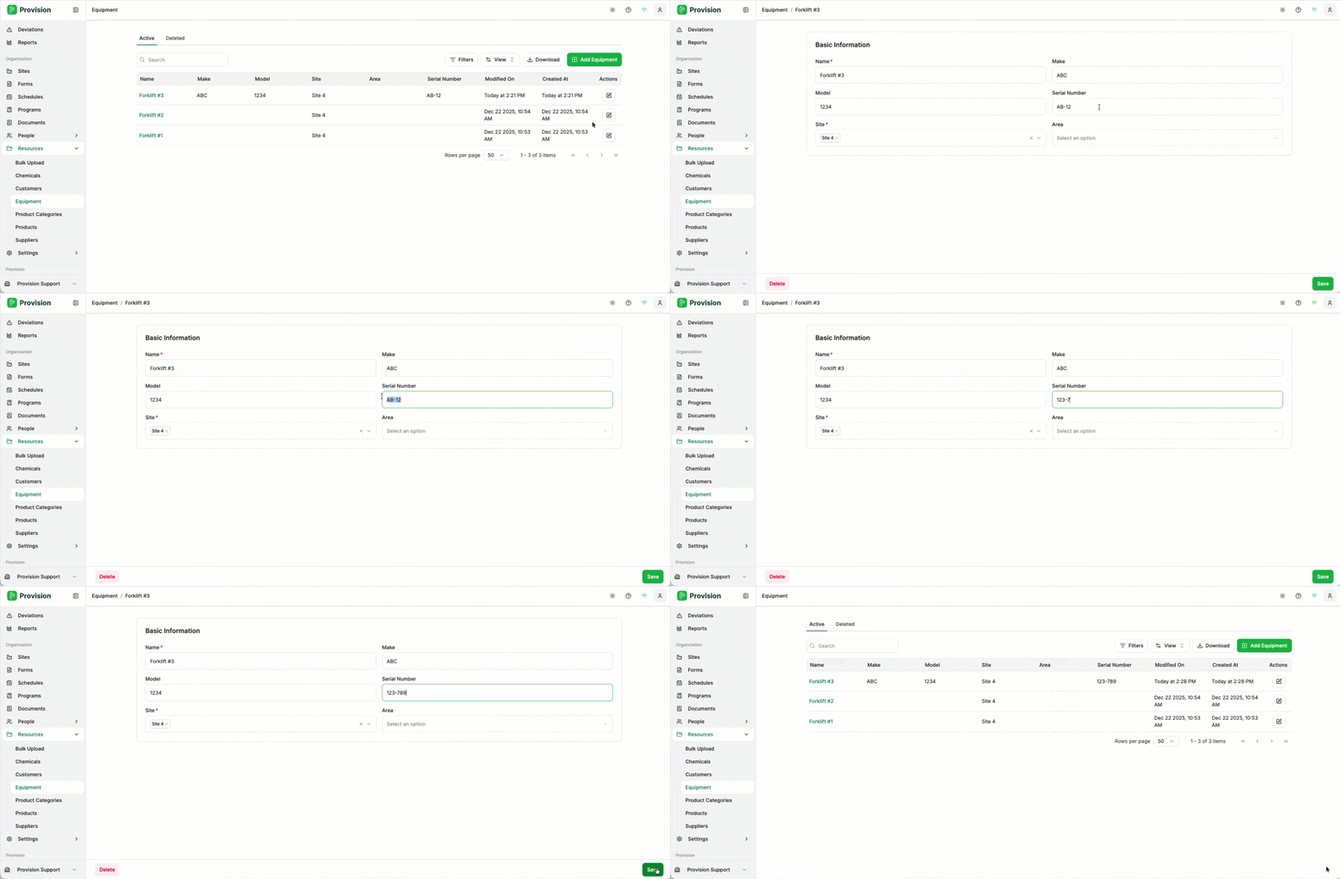
-
To Edit: Click on the specific equipment entry to open the side panel. Adjust the details and select Save.
-
To Delete: In the equipment side panel, select the Delete button. Note that deleting equipment may impact historical records associated with that asset.