![Logo_Icon-1.png]](https://support.provision.io/hs-fs/hubfs/Logo_Icon-1.png?height=40&name=Logo_Icon-1.png)
 Uploading a Document
-
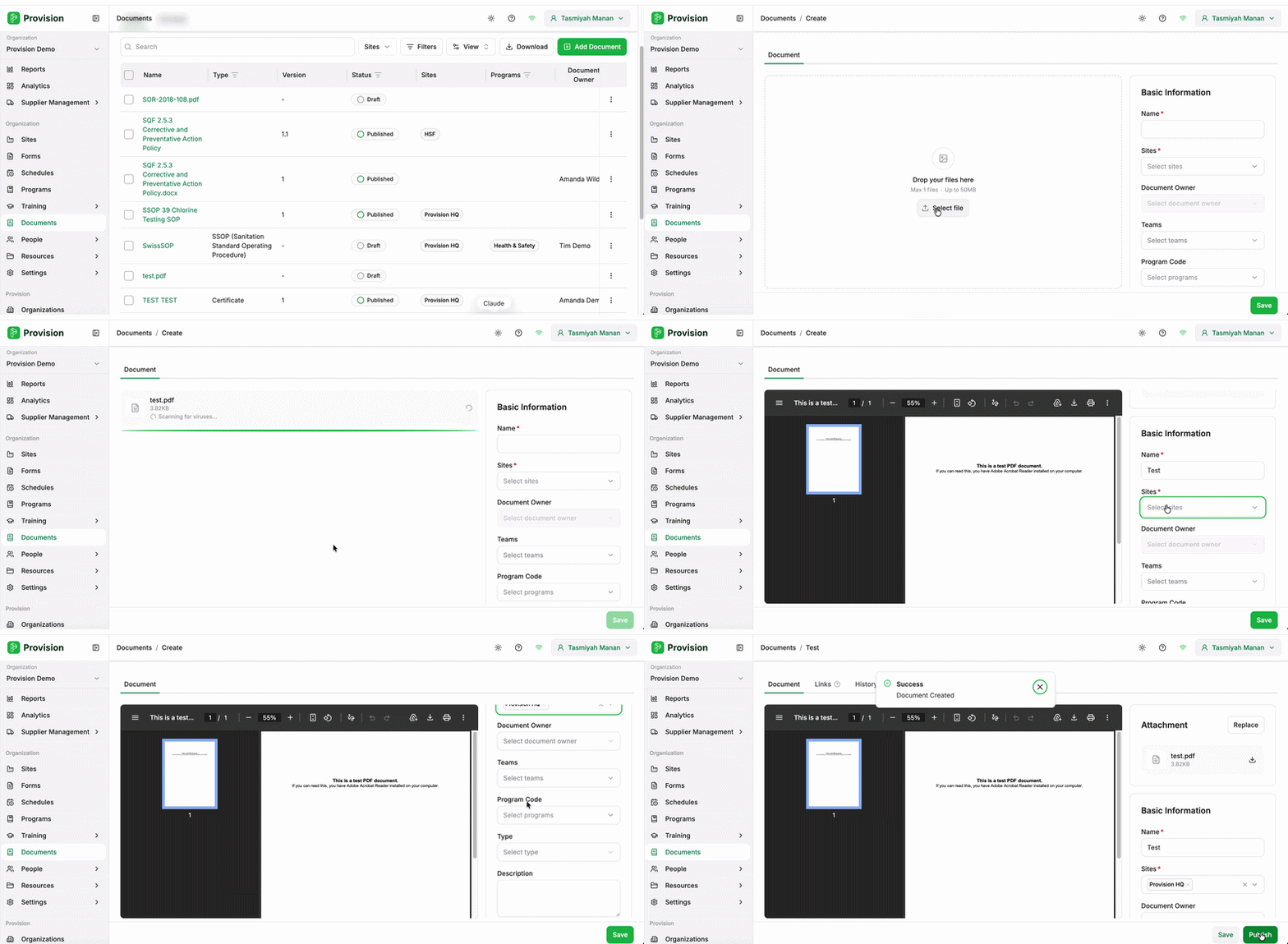
Navigate to the Documents module.
-
Select the green Add Document button [+] which can be found on the top right hand corner of the screen
-
Either Drag and Drop your files or click Select File to browse your device.
-
Fill in the required fields, Name and Sites, plus any other details you wish to include.
-
Select the green Save button which can be found on the bottom right hand corner of the screen.
Once saved, your document appears in the Documents table with a Draft status. Drafts are not yet live — you will need to select Publish to make the document available, at which point the status changes to Published.