![Logo_Icon-1.png]](https://support.provision.io/hs-fs/hubfs/Logo_Icon-1.png?height=40&name=Logo_Icon-1.png)
Add Chemical
-
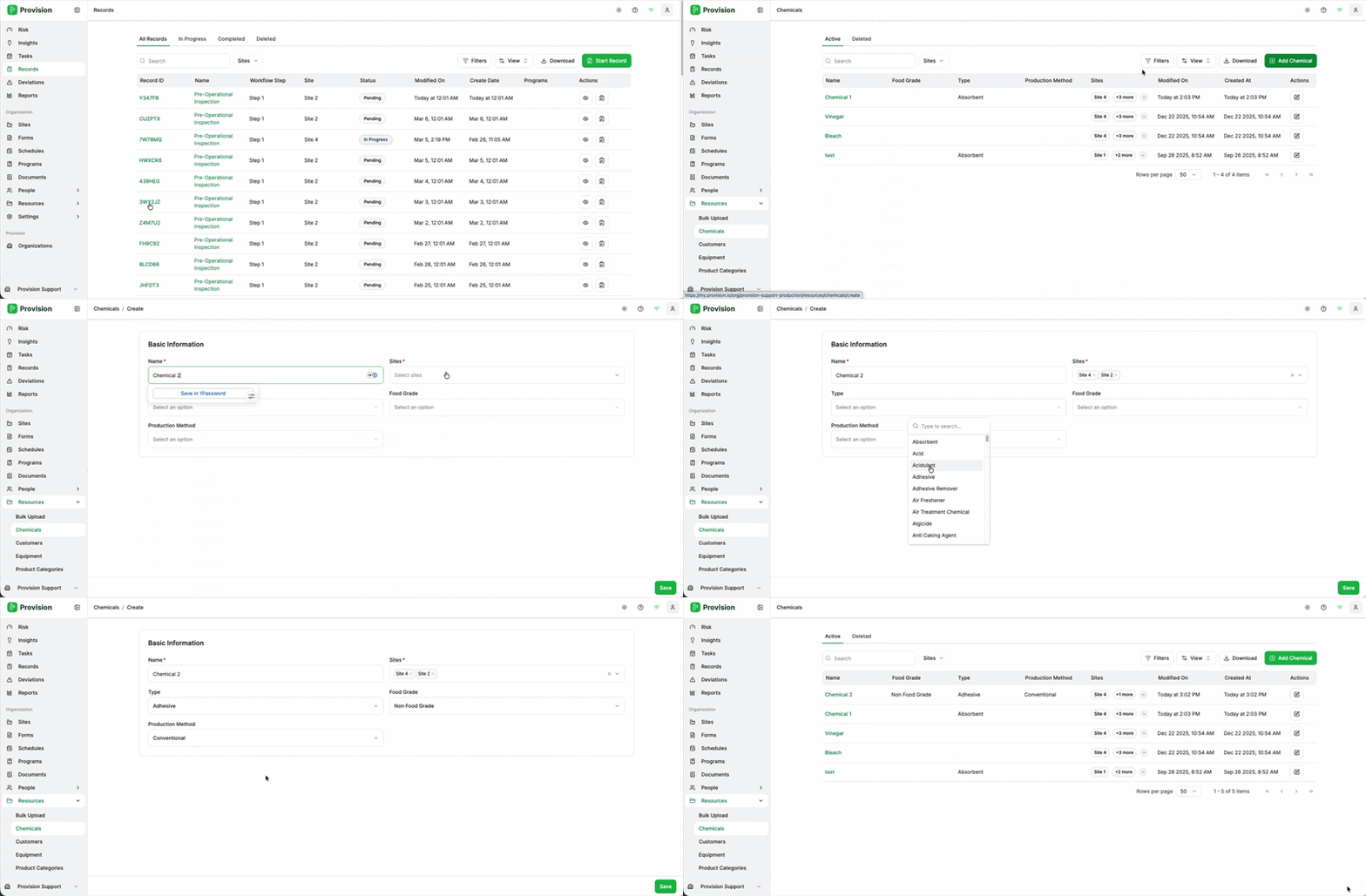
Navigate to Resources > Chemicals.
-
In the top Tool Bar, select the Add Button [+].
-
In the side panel, fill out the required chemical details:
-
Chemical Name
-
Manufacturer
-
Concentration/Type
-
-
Select Create Chemical.
-
Add any additional information (such as SDS sheets or storage requirements) and select Save.
Editing or Deleting a Chemical
-
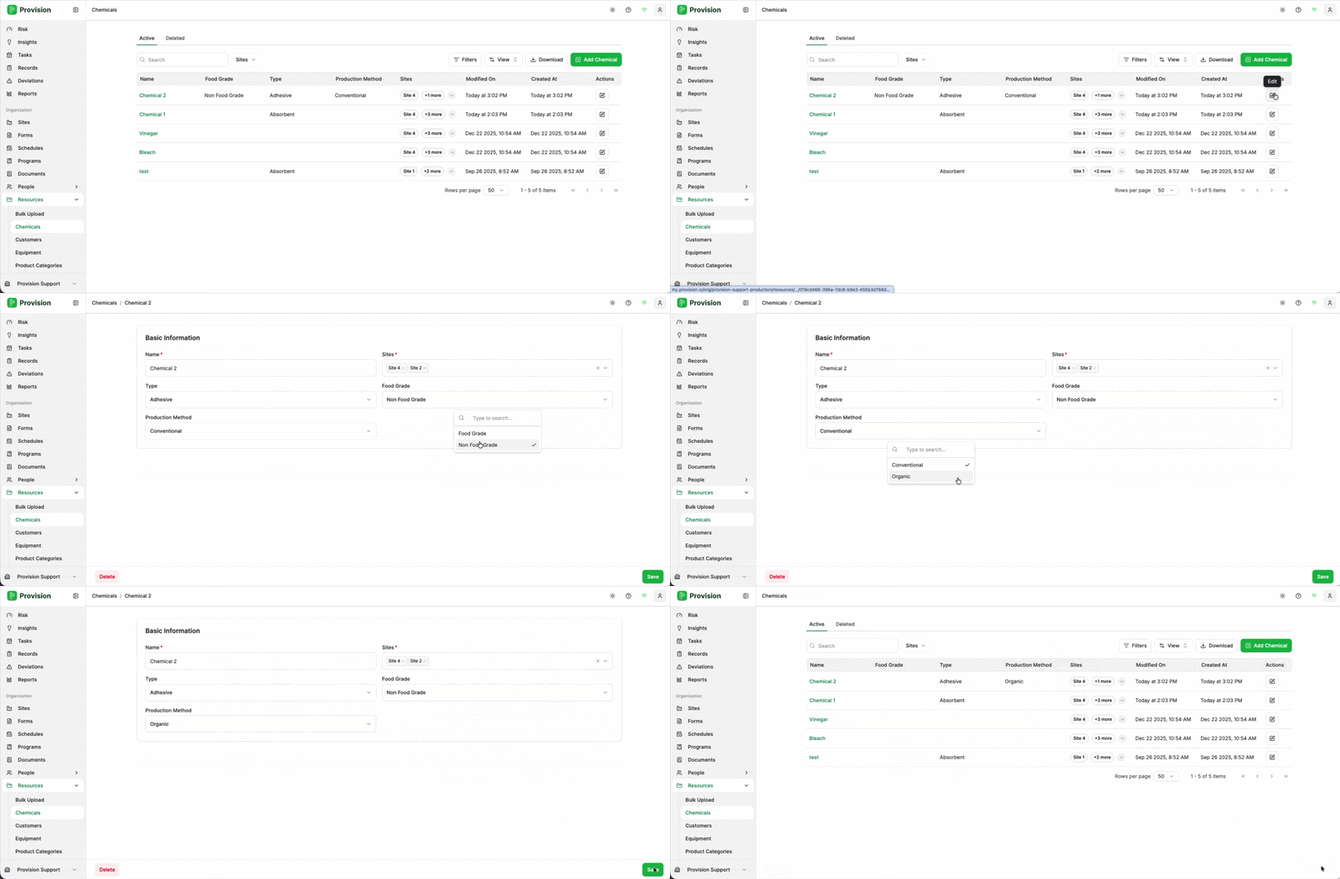
To Edit: Locate the chemical in the list, click on its name to open the side panel, update the necessary fields, and select Save.
-
To Delete: Within the chemical's side panel, select the Delete icon or button (usually found at the bottom of the panel) and confirm the action.