![Logo_Icon-1.png]](https://support.provision.io/hs-fs/hubfs/Logo_Icon-1.png?height=40&name=Logo_Icon-1.png)
-
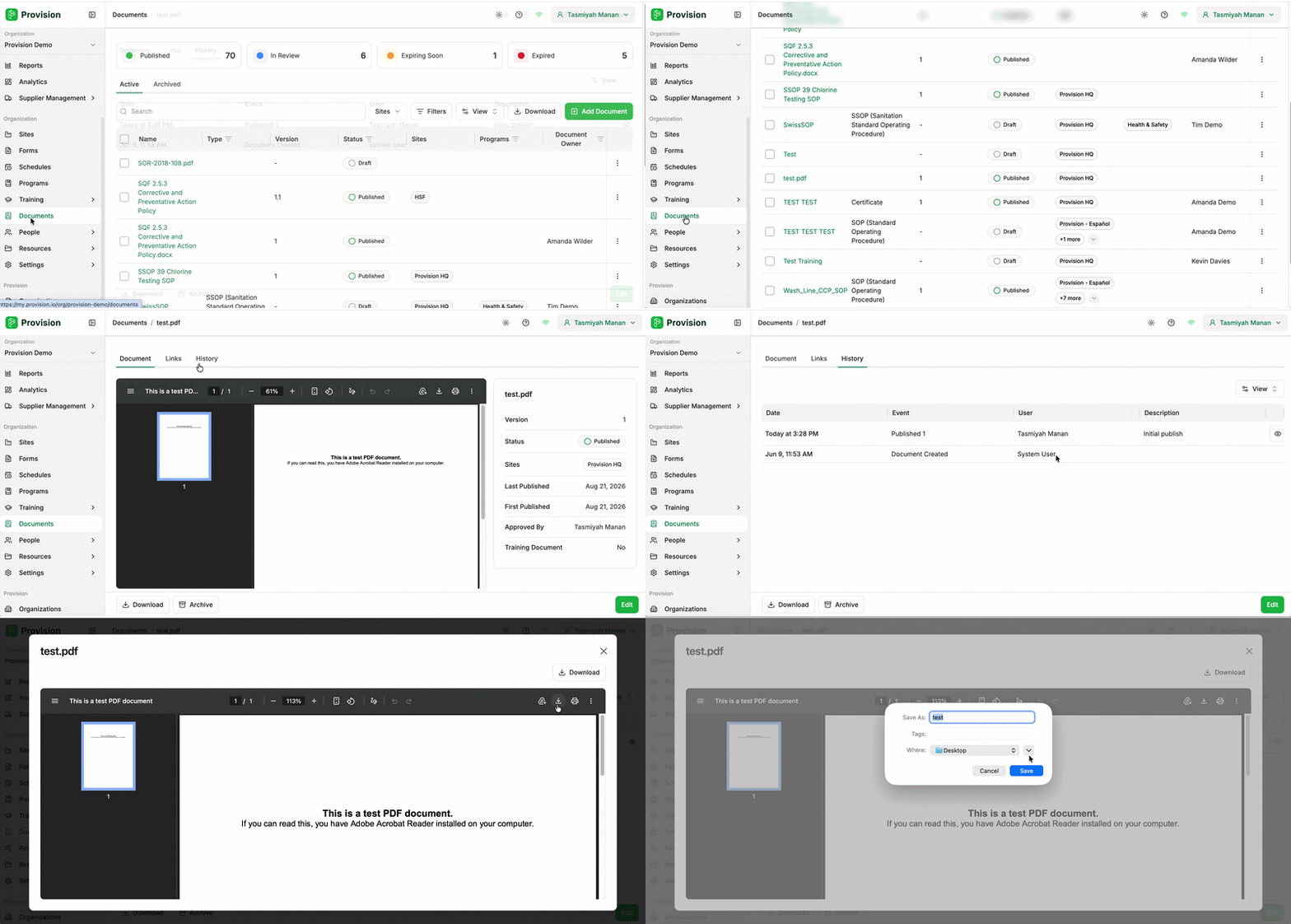
Select the Document Name from the list.
-
Select the History tab at the top of the document view.
-
A list of all previous versions will be displayed, including the Date, Event, Description and the User who uploaded it.
-
Select the Preview icon (eye shape) on the right side of a version to view that specific document.
- Within Preview, select the Download button to export a copy of the historical document.
Previous versions are never overwritten. Every time you publish a new version, the old one stays available in the History tab, so you can always retrieve the document your team was working from at the time.